Every host ends up typing some version of the same message, over and over: the door code, the WiFi password, what time check-in actually is, where to park. It's not complicated information, but it takes a real slice of your evening every week if you're sending it by hand to every guest, on top of remembering to send it at all before someone's standing outside a locked door.
Automating it isn't about replacing the personal touch. It's about making sure the useful, repetitive part goes out reliably, every time, so the personal touch you do add (a good local tip, a warm welcome) isn't competing with "did I actually send the door code."
What "automated" actually means here
The setup that works well is simple: a scheduled email that goes out a fixed number of days before check-in, pulled from a template you write once. It needs three things to work properly:
- A trigger. Something that knows a check-in is coming up, and how many days away it is.
- A guest email address. Usually pasted in from the Booking.com or Airbnb message thread when the reservation comes in.
- A template. Written once, reused for every guest, with placeholders for the guest's name, the property name, and the check-in date so it still reads like it was written for them.
Getting the timing right
Too early and the door code is stale news by the time they arrive (or worse, they forget it). Too late and it lands after they've already messaged you asking. Most hosts land somewhere between 2 and 5 days before check-in: close enough to be useful and top-of-inbox, early enough that a guest checking their travel plans a few days out already has it.
The exact number matters less than that it's consistent and configurable, since it'll differ by property type: a countryside cottage with a keysafe code behaves differently to a city apartment with a concierge.
What actually belongs in the message
Keep it short. A guest skimming on their phone the day before a trip isn't going to read a wall of text. The version that works best covers:
- A short, warm thank-you for booking
- The door code or key collection details
- WiFi, if it's not already on a card in the property
- A link to a fuller house guide, rather than cramming everything into the email itself
That last point matters more than it looks. House rules, local recommendations, appliance instructions, none of that needs to live in the email body. A single link to a proper guest guidebook page keeps the email itself short while still giving guests everything they might need, whenever they actually need it.
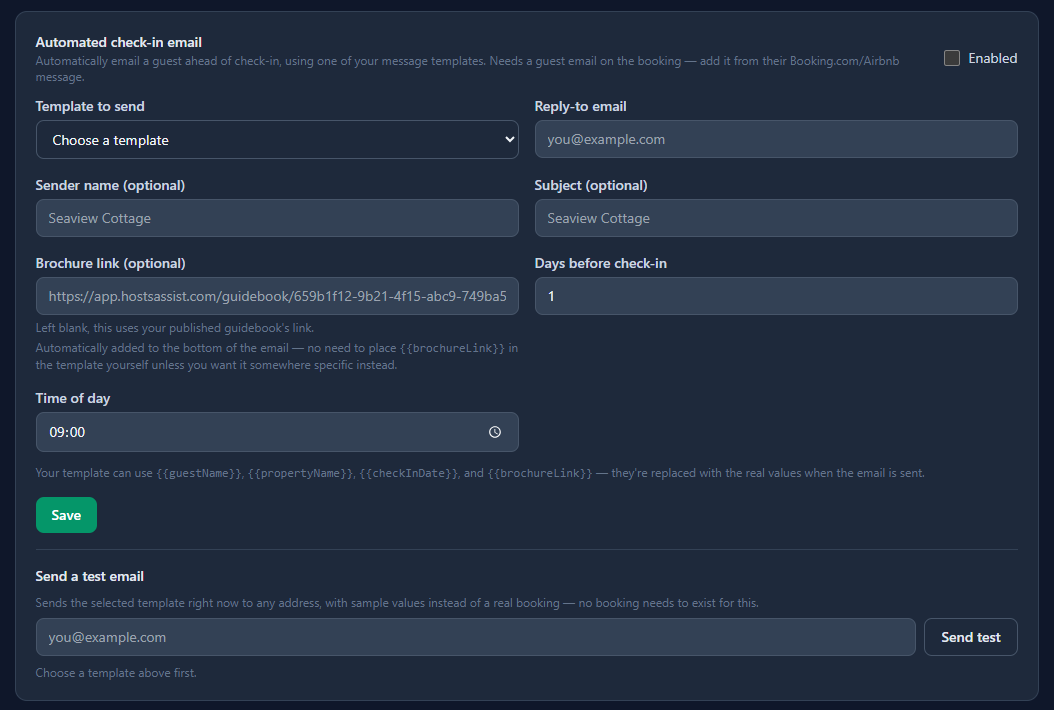
How this works in Hosts Assist: add a guest's email when you log their booking, and the automated check-in email handles the rest: sent at the number of days before check-in you choose, with the door code, a link to that property's guidebook, and the sender name and subject set to your property's name automatically.
The failure mode to design around
The one thing worth being deliberate about: what happens if a booking is added after the point it would normally have sent. Say your automation is set to fire 5 days before check-in, but a guest books 3 days out. A system that only checks once, at a fixed time, might miss that booking entirely. A system built to recheck regularly, catching anything that's now due, however it got there, doesn't have that gap.
It's a small detail, but it's the difference between "mostly works" and something you can actually stop thinking about.
Keep a record of what went out
Once it's automated, you're no longer watching every send happen. That's the point, but it also means you want somewhere to check, after the fact, exactly who got what and when, in case a guest says they never got their check-in details. A simple log (guest, email address, date sent, which template) is enough to answer that in seconds instead of digging through old messages.
The bigger picture
This is one small piece of running a property, but it's a representative one: a task that's simple in isolation but expensive in aggregate, done a hundred times a year, one guest at a time. The same logic applies to logging bookings, tracking expenses, and reconciling payouts, which is really the case for treating hosting admin as a system rather than a list of things to remember.
If you're doing this by hand today, automating just the check-in message is a good place to start: it's the task guests notice most directly, and the one most likely to interrupt your evening with a "sorry, what was the WiFi password again?" message.