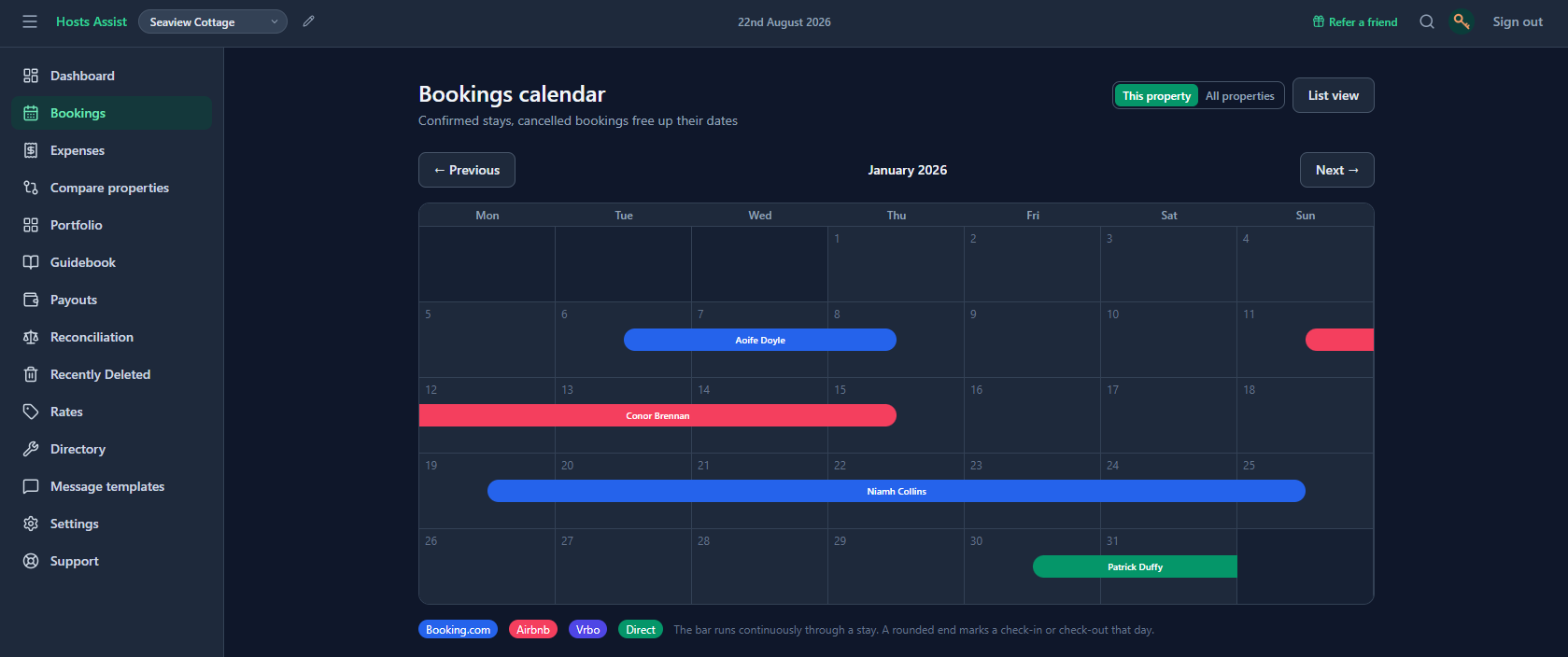
A double booking is one of the very few mistakes in hosting that can't be quietly fixed later. Two guests, two confirmations, one set of keys, and someone has to be turned away, refunded, and rehoused, usually at their own expense and always at a cost to your reviews. It's rare, but it's the one failure mode worth actively designing around rather than just hoping never happens.
Why it happens even to careful hosts
Almost every double booking has the same root cause: a listing was live and bookable on a second platform during a window that was already taken on the first. That gap usually isn't carelessness, it's a timing problem.
A booking comes in on Airbnb; until that date range is blocked on Booking.com too, both platforms will happily accept a second guest for the same nights.
iCal sync alone isn't quite enough
Most platforms offer an iCal export/import for exactly this reason, and it helps, but it comes with two real limitations worth knowing about. First, it's typically one-way per connection and needs to be set up in both directions to actually close the gap. Second, most platforms only refresh iCal feeds periodically, sometimes hourly, sometimes less often, which leaves a real window where a new booking on one side hasn't yet blocked the other.
For most hosts this is a small enough window to rarely bite, but "rarely" isn't the same as "never," and the one time it does happen is expensive.
What actually closes the gap
The safest setup treats every platform, plus direct bookings, as one shared calendar rather than several separate ones kept loosely in sync. A booking confirmed anywhere blocks those dates everywhere else immediately, not on the next scheduled refresh. Direct bookings (a returning guest, a friend of a friend) matter here too: they're just as capable of causing a double booking as an OTA reservation if they're not reflected on every platform's calendar.
How this works in Hosts Assist: calendar sync runs both ways. A booking made on Airbnb or Booking.com imports automatically, and a direct booking added in the app blocks those dates on every connected platform's calendar in turn — no separate iCal setup to babysit per property.
If you manage more than one property
The risk scales with the number of calendars you're keeping in sync, not the number of bookings. Two properties across two platforms is already four calendars that all need to agree with each other; five properties across three platforms is fifteen. Whatever system you use, it's worth confirming it treats every property independently and doesn't rely on you remembering to check each one by hand after every booking.
The check worth doing anyway
Even with solid two-way sync, it's worth a quick glance at the calendar before confirming any booking taken outside the platforms entirely, such as a phone call or a repeat guest messaging directly. That's the one path syncing can't cover on its own, since there's no platform booking to sync from in the first place.